Tired of cleaning up your feed manually? TikTok Remove Following & Favorites Tools helps you bulk unfollow accounts and wipe out saved videos in 1-click. Fully automated, adjustable, and completely secure.
A full set of tools designed to help you organize your profile algorithms, clean up bloat, and manage your following list safely.
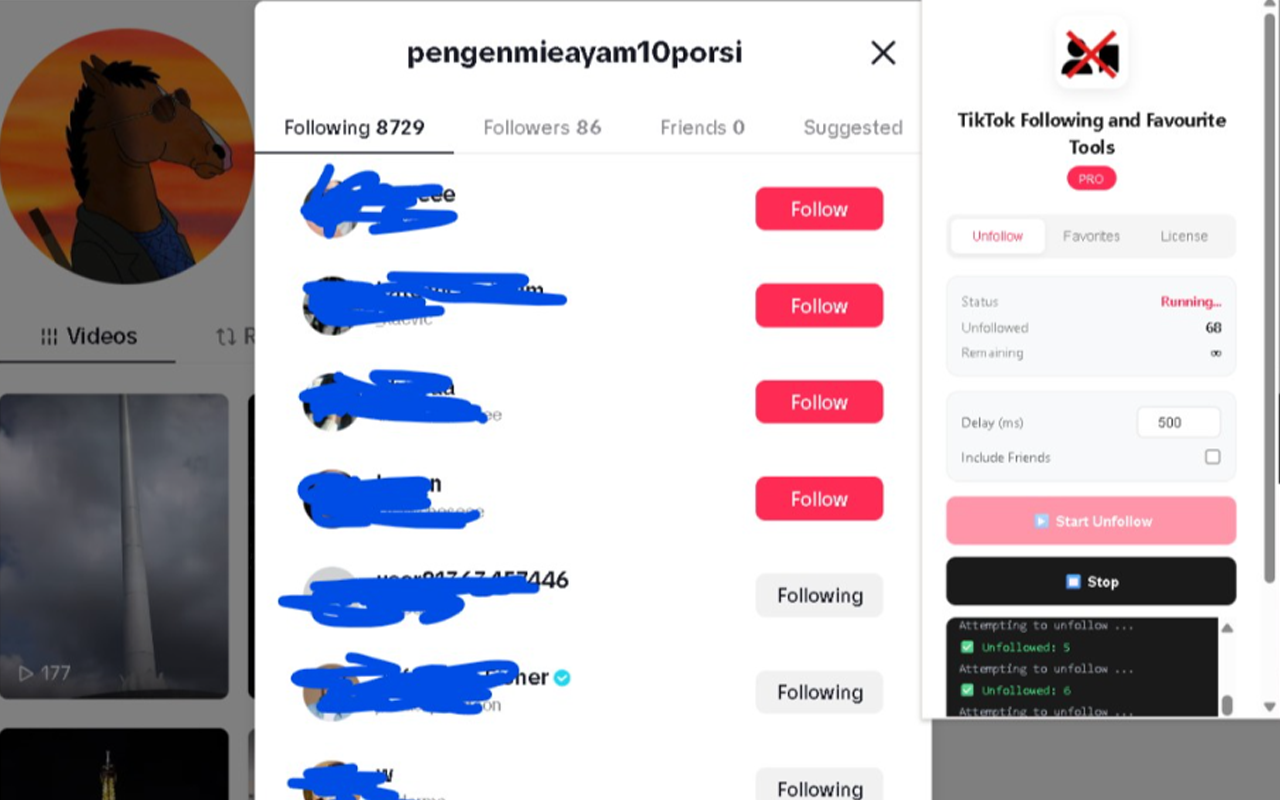
Unfollow TikTok profiles automatically in bulk. Reset your feed and clean up inactive, shadowbanned, or bloated followings.
Use the "Skip Friends" option to protect your mutual friends (accounts that follow you back). Avoid losing your actual social connections.
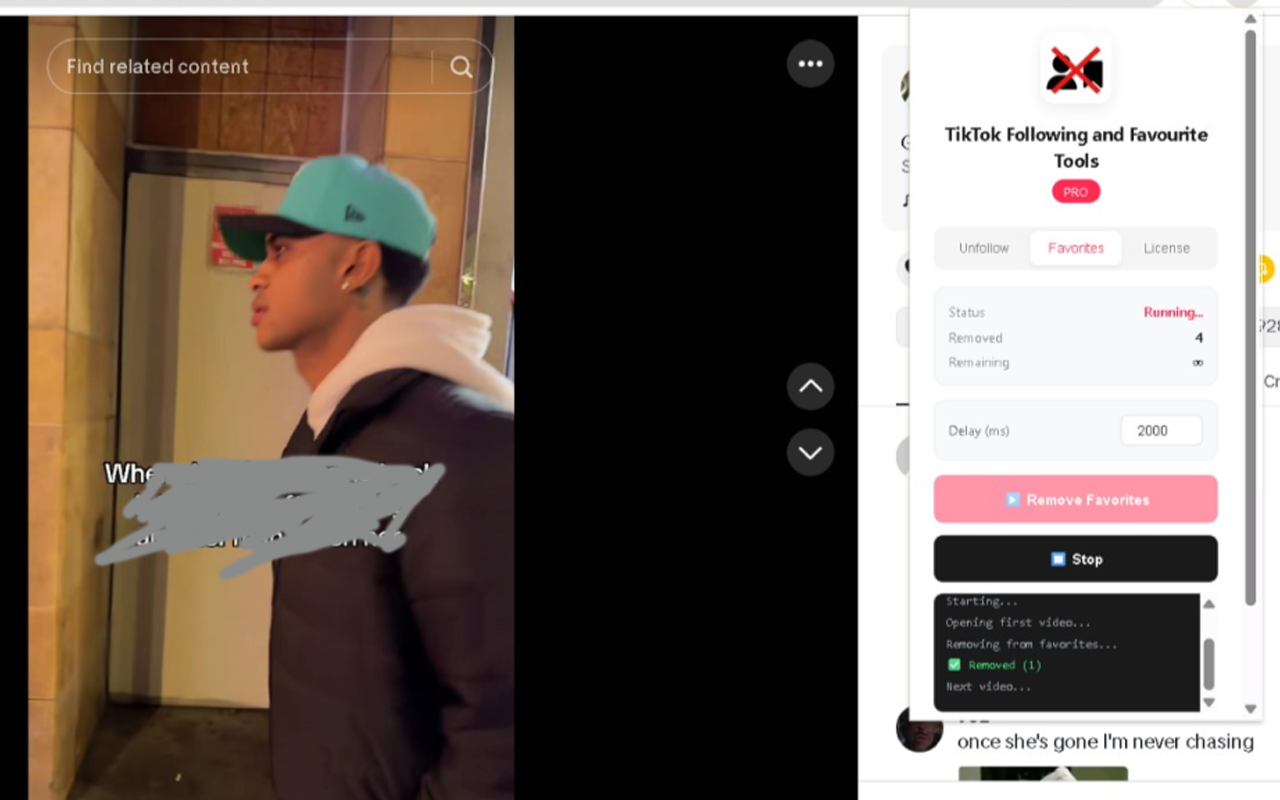
Clear all favorited videos on your profile in bulk. Remove algorithm weights and reset the videos saved to your folder.
Set custom intervals (in milliseconds) between unfollows/favorites removal to emulate natural human behavior and stay safe from limits.
Watch a live execution terminal show which profiles are being unfollowed or skipped. Inspect results with fully exported CSV files.
Complete flexibility. Click "Stop" at any time to pause operations instantly without freezing your browser tab.
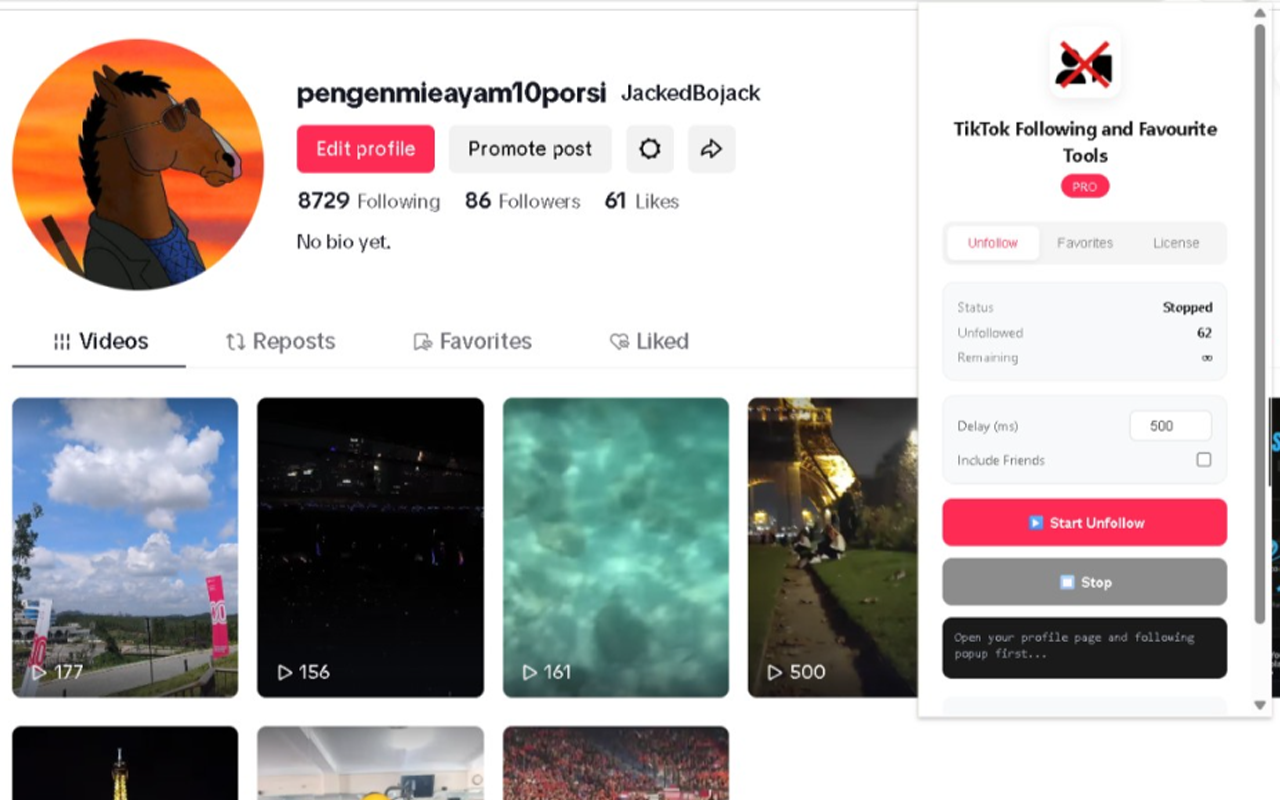
Take a closer look at the extension layout. Simple, modern, and light-weight.
Follow these quick guides to clear your followings or favorites in just a few seconds.
Sign in to your account and go to your profile page (e.g. tiktok.com/@username).
Click on your "Following" number counts on your profile to bring up the official Following list popup popup modal.
Click on the TikTok Tools extension icon, select "Unfollow" tab, adjust delay parameters, check or uncheck "Include Remove Friends", then click "Start Unfollow".
Open your TikTok profile page, then click on the "Favorites" (bookmark-like) tab to view saved clips.
Launch the extension popup by clicking the icon from the Chrome topbar list.
Go to the "Favorites" tab inside the extension, set your action speed delay, and hit "Remove Favorites".
We value your account safety and credentials. All data is processed entirely inside your local Google Chrome browser sandbox. No usernames, cookies, passwords, or personal databases are ever sent to external cloud servers. Safe, secure, and fully compliant with local web extension architecture guidelines.
Install Extension NowExplore other popular extensions built by the developer to maximize your social presence and analytics.
Easily analyze your Instagram profile! Track who stalks your profile, see who unfollowed you, check mutual relationships, track followers, and hide your story views easily inside one single dashboard.
View on Chrome Web Store ↗